After using Laragon for some time on Windows, I have again gone back to local by Flywheel. I use a machine with plenty of available RAM and processor speed, so it makes sense to give the sites more resources. I wanted to automate this and make it as turnkey as possible for setting up new sites.
Local Setup
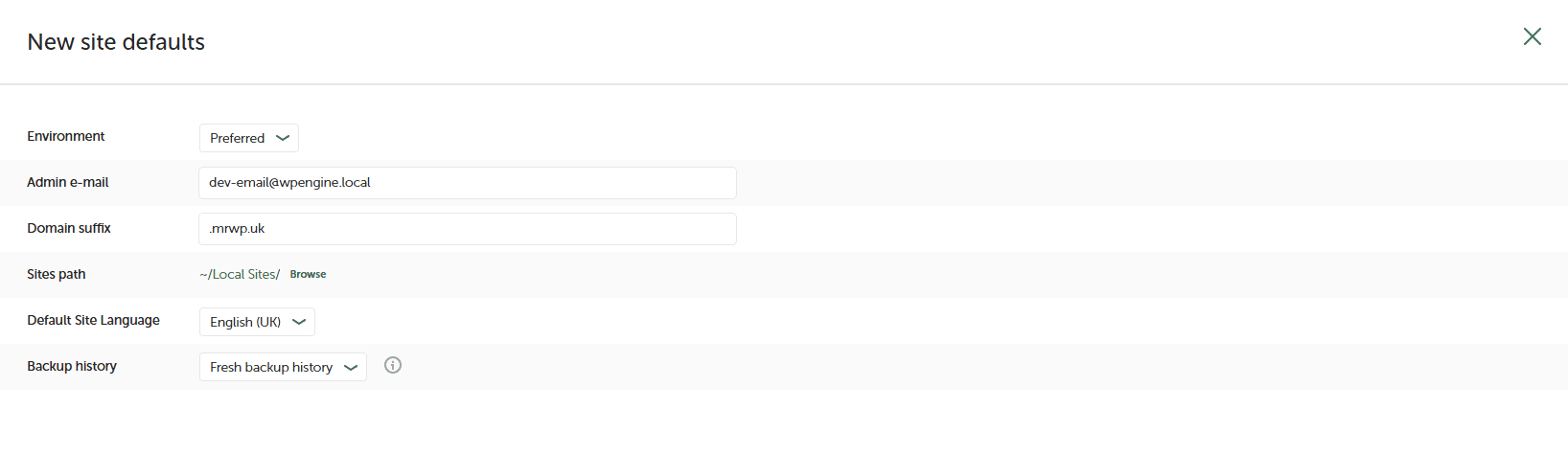
So the first thing I’ve done locally is make sure the setup is as follows:
For new sites I have given them a domain suffix of .mrwp.uk This is my “local domain” This is set up in Cloudflare, pointing at my cloudflared tunnel.
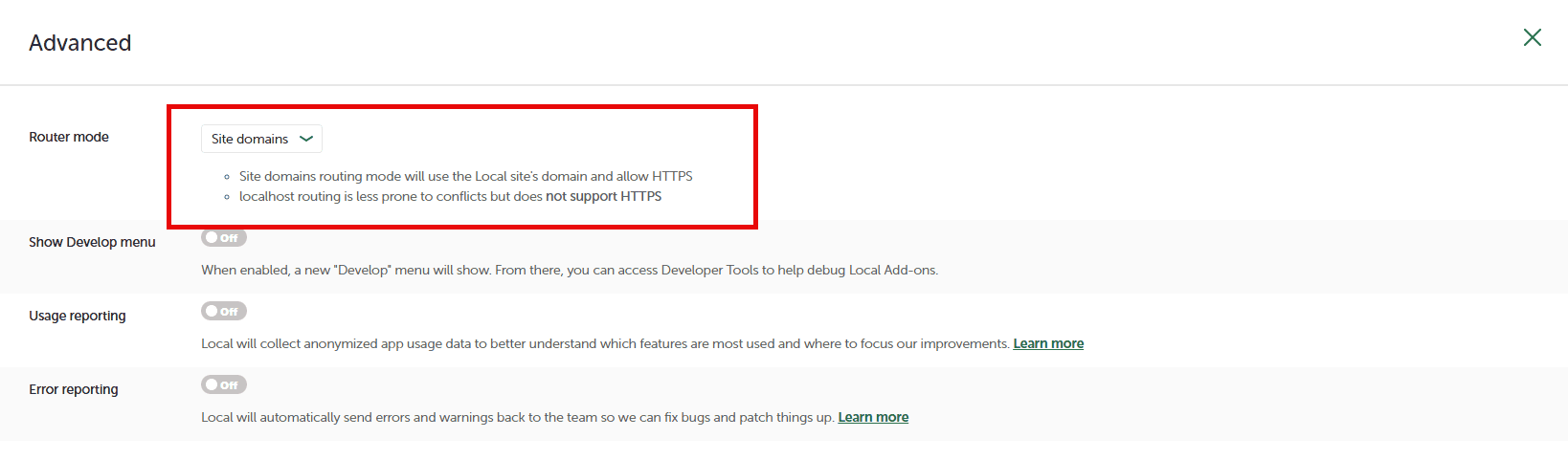
It’s also important that the router settings are correct; we need to use site domains, not localhost. This is default behaviour, but it needs to be like this to work.
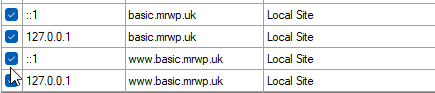
Finally, local handles the site mapping as normal
Cloudflared
We move on to Cloudflare and really its the same setup as we had in this article
My config.yml is below
tunnel: 422979c4-XXXX-XXXX-XXXX-XXXXXXXXXXXX
credentials-file: C:\Users\nathan\.cloudflared\422979c4-XXXX-XXXX-XXXX-XXXXXXXXXXXX.json

ingress:
  - hostname: webhook.XXXX.co.uk
    service: http://localhost:18080

  - hostname: hop.XXXX.co.uk
    service: http://localhost:3000

  - hostname: mrwp.uk
    service: http://localhost:80

  - hostname: "*.mrwp.uk"
    service: http://localhost:80

  - service: http_status:404
I then have a bat file called tunnel.bat that runs cloudflared tunnel run laragon-dev
I then have a bat script allowing me to increase the memory of individual or all local sites
@echo off
setlocal EnableDelayedExpansion

set "BASE_DIR=C:\Users\Nathan\Local Sites"

echo Enter the new memory limit value, e.g. 1024M:
set /p MEMORY_LIMIT=

if "%MEMORY_LIMIT%"=="" (
    echo No valid value entered. Exiting.
    exit /b
)

if /i not "%MEMORY_LIMIT:~-1%"=="M" set "MEMORY_LIMIT=%MEMORY_LIMIT%M"

echo.
echo Available Local sites:
echo 99. ALL SITES
echo.

set COUNT=0

for /d %%d in ("%BASE_DIR%\*") do (
    set /a COUNT+=1
    if !COUNT! LEQ 98 (
        set "SITE_!COUNT!=%%~nxd"
        echo !COUNT!. %%~nxd
    )
)

if %COUNT% EQU 0 (
    echo No sites found in "%BASE_DIR%".
    exit /b
)

echo.
echo Enter 99 for all sites, or enter a site number 1-98:
set /p CHOICE=

if "%CHOICE%"=="99" (
    for /d %%d in ("%BASE_DIR%\*") do (
        call :UpdatePhpIni "%%d"
    )
    goto :End
)

set /a TEST_CHOICE=%CHOICE% 2>nul

if "%CHOICE%"=="" (
    echo No selection entered. Exiting.
    exit /b
)

if %CHOICE% LSS 1 (
    echo Invalid selection. Exiting.
    exit /b
)

if %CHOICE% GTR 98 (
    echo Invalid selection. Use 99 for all sites.
    exit /b
)

if not defined SITE_%CHOICE% (
    echo No site exists for option %CHOICE%.
    exit /b
)

set "SELECTED_SITE=!SITE_%CHOICE%!"
call :UpdatePhpIni "%BASE_DIR%\%SELECTED_SITE%"

goto :End

:UpdatePhpIni
set "SITE_PATH=%~1"
set "PHP_INI_FILE=%SITE_PATH%\conf\php\php.ini.hbs"

if exist "%PHP_INI_FILE%" (
    echo Updating "%PHP_INI_FILE%"...
    powershell -NoProfile -ExecutionPolicy Bypass -Command ^
        "(Get-Content -Raw -Path '%PHP_INI_FILE%') -replace 'memory_limit\s*=\s*\S+', 'memory_limit = %MEMORY_LIMIT%' | Set-Content -Path '%PHP_INI_FILE%'"
    echo Updated successfully.
) else (
    echo File "%PHP_INI_FILE%" not found. Skipping.
)

exit /b

:End
echo.
echo All done!
echo Stop and restart the affected LocalWP site(s) for the change to take effect.